Build your routine
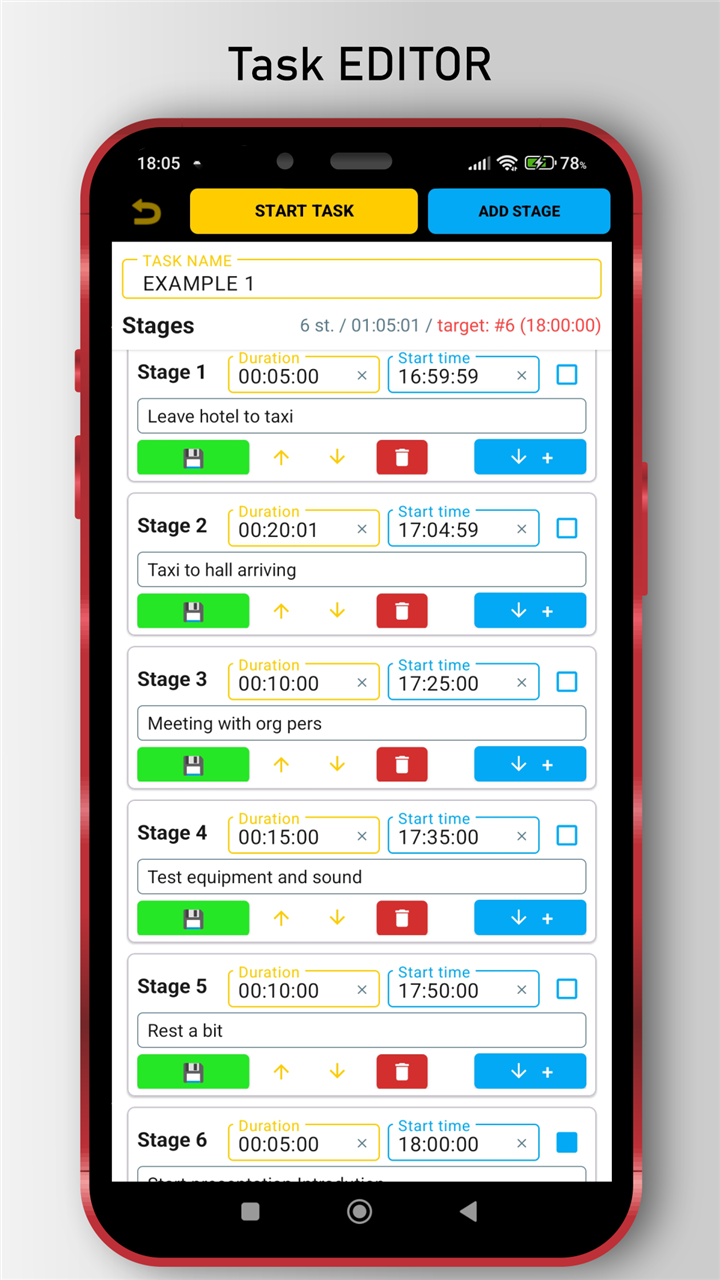
Add steps with a duration and a short hint, like "Shower", "Medicine", "Pack bag", or "Walk to the bus".
 NLtimer
Built for people who are always late
If ADHD, time blindness, or morning chaos keeps making you late, NLtimer works backward from the time you must leave. Tell it "out the door at 8:10" and it counts every step back for you, so you know exactly when to start and whether you are already slipping.
Now on Google Play
Install it free and try it on a real morning routine.

Find your path
The problem
Routinery, RoutineFlow, Brili and other step-by-step routine apps run forward once you begin. But people with chronic lateness and time blindness usually miss the moment to begin at all. NLtimer answers that by counting backward from your leave or arrival time and showing the exact moment each step has to start.
How it works
Add steps with a duration and a short hint, like "Shower", "Medicine", "Pack bag", or "Walk to the bus".
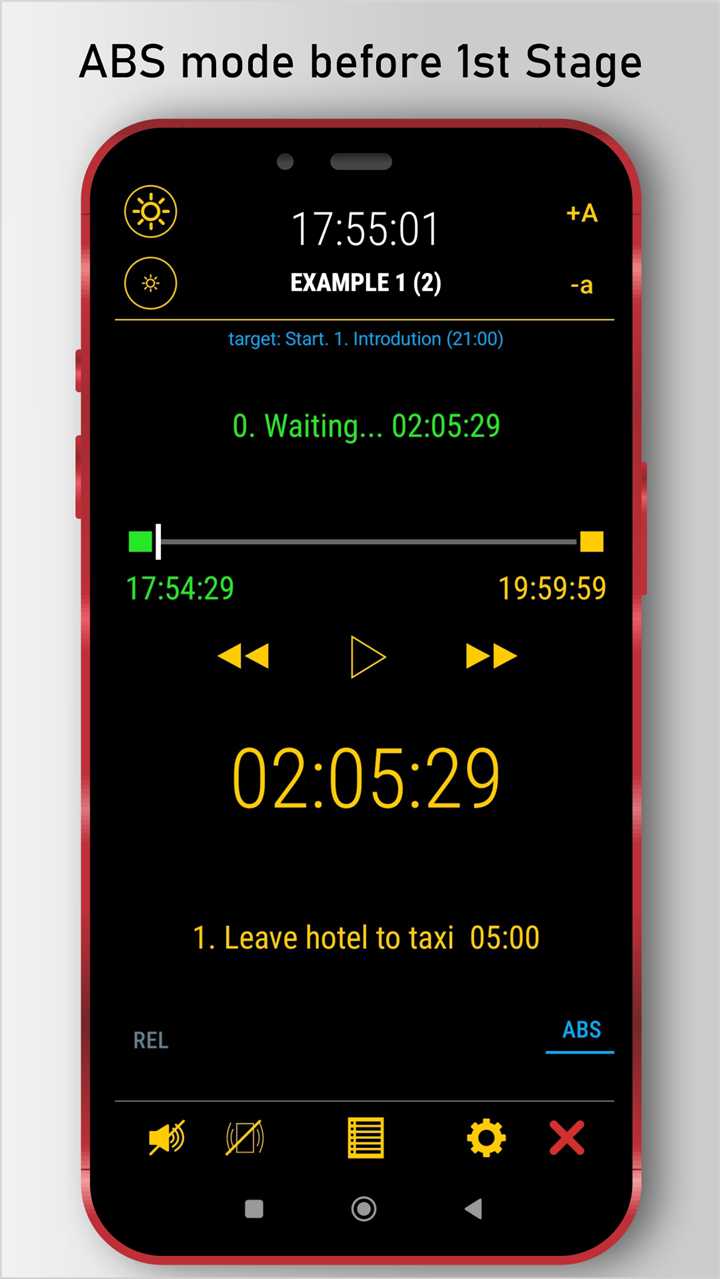
In target-time mode (ABS), pin the step with the real deadline. NLtimer calculates the exact time the whole routine has to start.
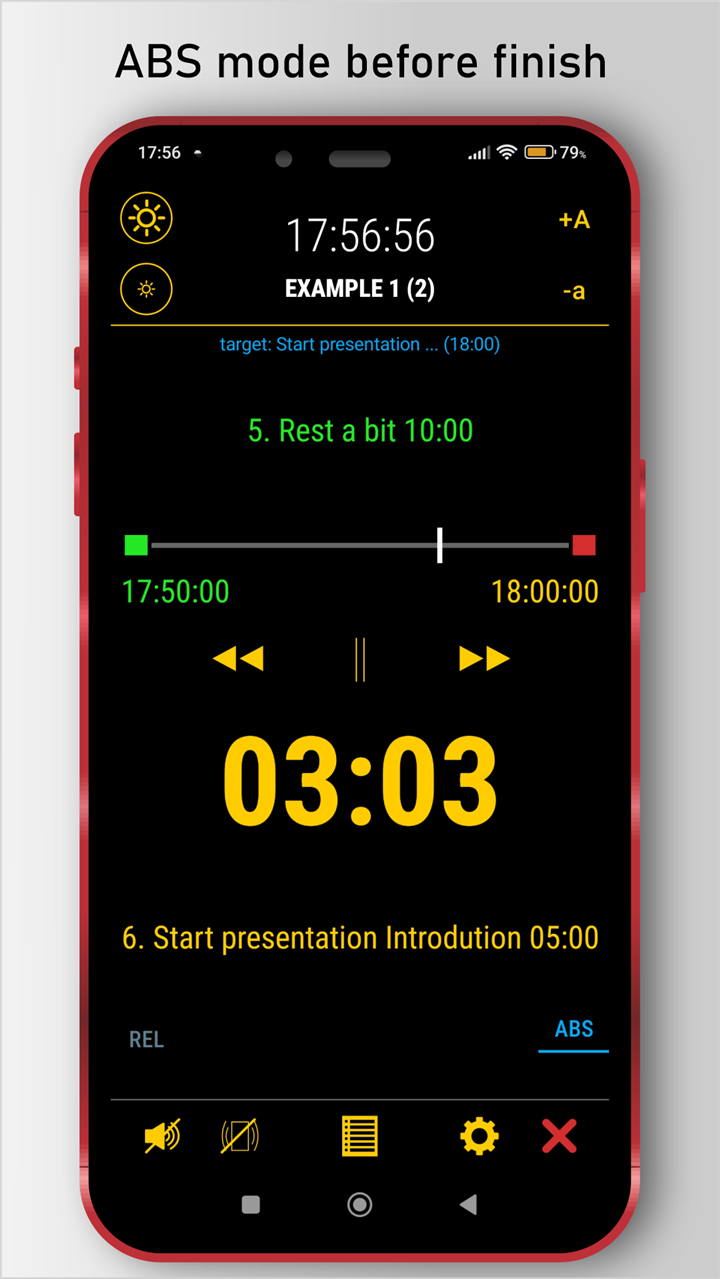
Steps switch automatically. You always see what to do now, what comes next, and whether you are ahead or behind.
Target-time mode
Set the real clock time for the moment that matters — leaving home, catching the bus, reaching the train. NLtimer recalculates backward so your routine lands exactly on that moment.
Interval mode
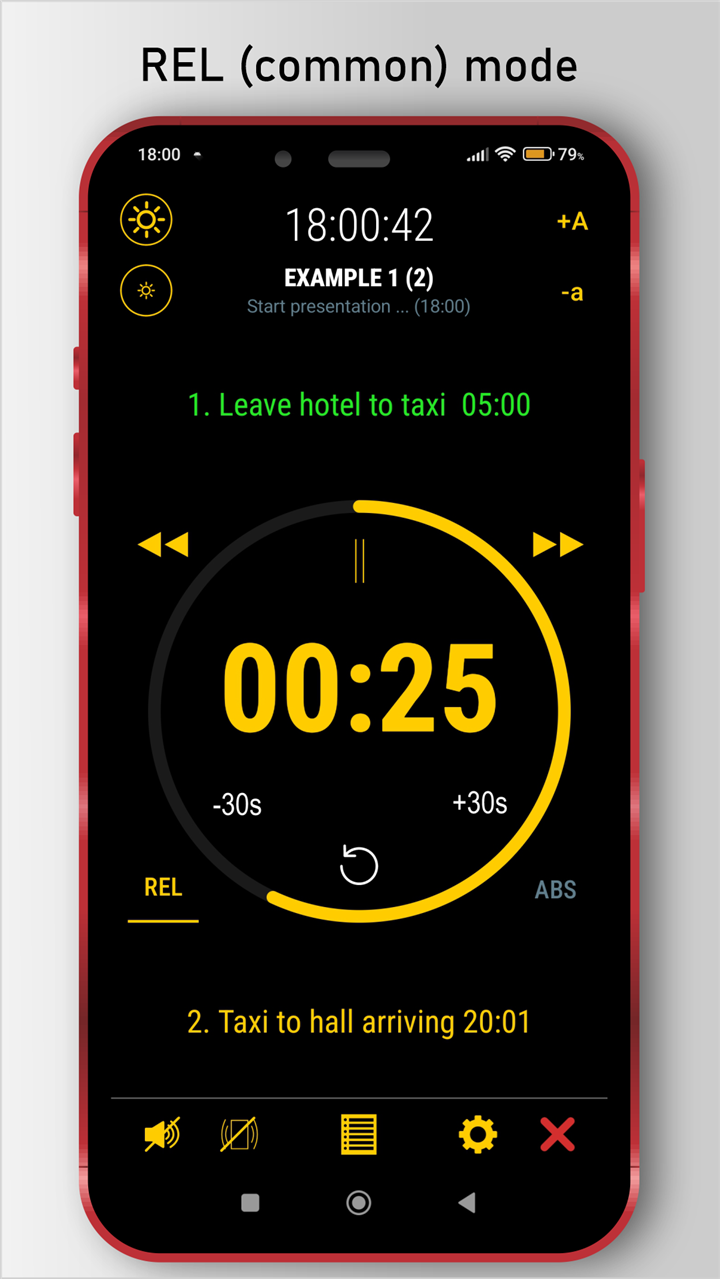
No hard deadline? Use NLtimer as a classic multi-step interval timer: adjust time on the fly, repeat a step, skip forward, go back, keep moving.
No tapping "next". NLtimer moves through the routine for you, hands-free.
See what to do now and what comes next, without checking notes or holding it in your head.
A visible signal of whether the whole plan is still on track, which is often the part ordinary timers never show.
Chain several routines into one, or save a combination as one reusable plan.
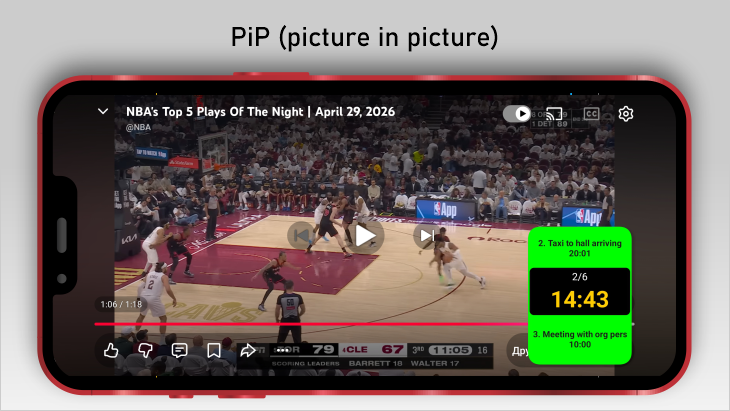
Keep the running timer visible over other apps and on your home screen.
Move routines between devices, share them, and recover a running plan.
Screenshots
Feedback
Missing a feature, or have an idea for the developer? Tell us — short and specific helps most.
Use cases
Free and Premium
Free
All core features are available, with practical limits while you test the workflow.
Premium
Remove the limits and support continued development of NLtimer.
FAQ
Yes — that is the core of NLtimer. In target-time mode you set a real clock time, and NLtimer counts every step of your routine backward from it so you know when to start.
Those apps run forward from the moment you press Start. NLtimer also works backward from the time you must leave or finish, so it tells you when to begin instead of just guiding you once you have started.
It is built for it: steps switch automatically and you get a clear on-track or behind signal, so the passing of time stays visible instead of disappearing.
Yes. Interval mode (REL) works as a classic multi-step countdown timer without a real-time target.
Yes. Picture-in-Picture, a home screen widget, and a foreground service keep the running timer visible and alive.
Routines and settings are stored locally on your device. Exported files and backups are controlled by you.
First: people who are always late, especially with ADHD, time blindness, or chaotic mornings. It also works for departures, presentations, workouts, and other deadline-driven routines.
Yes. NLtimer supports routine export and import, so you can share morning routines, training plans, or prepared workflows between devices and people.